May 15, 2013

0 ZOO ZOO Pictures


Laughter is a powerful antidote to stress, pain, and conflict. Nothing works faster or more dependably to bring your mind and body back into balance than a good laugh. Humor lightens your burdens, inspires hopes, connects you to others, and keeps you grounded, focused, and alert.

Have some relation with your laughter. Here we go with ‘ZooZoo’ pictures.

0 Campus Drive: Commvault Interview Questions


 Hey Guys, 

                     Commvault is one of the MNCs in India. The main stream of the commvault is Data Protection. The software release made by Commvault is SIMPANA. This SIMPANA is the top software in data protection.

                    One of our friends shared his interview experience (Before 2 yrs) and the questions asked in the interview. Read the following post and get benefited.

0 Prim's Algorithm

       At first a peak is chosen in random order ,which for simplicity we accept it as V(1).This way two sets of pointers are initialized,the 0={1} and P={2...n}.

          The O set (the O is taken from the Greek word Oristiko which means Terminal),will always contain the pointers of those peaks which are terminally attached in the T tree.The V(1) peak has already been attached in the Ttree.The P set( P is taken form the Greek word Prosorino which means Temporary) contains the rest of the pointers for the peaks,P={1...n}-O which are those pointers who have not been terminally connected with a node of T,that means they are not attached in the tree.

         In every execution of the Prim Algorithm a new peak will be connected to the T tree,not always with their numbering order, for example the V(4) peak can be connected to the tree before the V(2) peak.The corresponding pointer of the newly connected peak will be deleted from P set and will be inserted to the set.When all peaks are connected there will be O={1,...n} and P=0.This of course means the end of the algorithm.

         The new peak every time will be chosen by using greedy method ,among all sides of G which connect peaks already inserted in the T (pointers in the set ) tree with the rest of the peaks (pointers in the P set ),we choose one with minimum cost.If the chosen one is e(ij) then i belongs in the set , V(i) peak is already in the T tree, j belongs in the P set , and V(j) peak has not been attached in the T tree yet.We put V(j) in the T tree,we change the O set by putting the pointer,and we also change the P set by removing the pointer.

Pseudocode For The Prim Algorithm

INPUT :n,c[e(ij)],i,j belonging to {1,...,n}. 
OUTPUT :p(j) j=2,...,n (pointer of peaks j father in the T tree).

STEPS

  1. :(initializations).
    O={1} (V(1) root of the T tree).
    P={2,...,n}
    For every j belonging to :e(j):=c[e(j1)] , p(j)=1
    ( all peaks connected to the root.By definition of the cost function:e(j)=infinite when V(j) does not connect to V(1).).
  2. Choose a k for which e(k)<=e(j) for every j belonging to P.In case of tight choose the smaller one.
    Exchange the set with the set produced by the union of the O set and {k} . Exchange the P set with the set produced by the difference of the P set and {k} .(P<-P-{k}) If P=0 then stop.
  3. For every j belonging to P compare e(j) with c[e(kj)].
    If e(j) >c[e(kj)] exchange e(j) <-c(e(kj)).Go back to Step 1.


Other Pictures for Prim's Algorithm


Source: CEID and Google

If you find this site useful, please support us. Like our FaceBook Page. You can also contact us by mail : portaltechinfo@gmail.com

0 News: 502 error continues to plague Gmail users


For at least the third time in 11 days, Google's Gmail users have encountered 502 errors while trying to access their emails. The first reported Gmail downtime this month was on May 2, followed by another on May 8.

Trying to access Gmail, a message on the page said, "502. That's an error. The server encountered a temporary error and could not complete your request. Please try again in 30 seconds. That's all we know."

502 errors usually happen due to poor IP communication between servers. There have been a number of previous occasions when Google users have encountered a similar error.

In regard to the "Error 502", Google's support page describes, "whenever you're see a 'Temporary Error (502)' message when you try to sign in to Gmail, it means that your mail is temporarily unavailable. These errors generally resolve themselves within a few minutes, so please wait a bit before trying to log in again."

Update 1:30 PM: Gmail services seem to have resumed for most users.

Update 3:30 PM: Google in its Apps Status Dashboard says the issue has been resolved. According to Google the 502 error was experience by less than 0.75% of users. The affected users were located in India, Middle East and South East Asia.
Source: IBNLive.com


If you find this site useful, please support us. Like our FaceBook Page. You can also contact us by mail : portaltechinfo@gmail.com

May 14, 2013

0 Dr. A P J Abdul Kalam's Biography


BIO-DATA:


Name: Avul Pakir Jainulabdeen Abdul Kalam

Born: October 15, 1931 (1931-10-15) (age 77),Rameshwaram, Tamil Nadu, India

Religion: Islam.

0 Barack Obama's Biography


BIO-DATA:


Name: Barack Obama

Born : August 4, 1961 (1961-08-04) (age 47),Honolulu, Hawaii.

Birth name: Barack Hussein Obama II.

Nationality : American

Political party: Democratic

0 RajiniKanth's biography


BIO-DATA:

Name: Shivaji Rao Gaikwad (Rajinikanth)

D.O.B : 12th December, 1950

Category: Actor

Country: India, Tamilnadu

Family: Father - Ramoji Rao,

0 GiveAway of the Day: Wondershare DVD Slideshow Builder


Wondershare DVD Slideshow Builder Deluxe is an easy-to-use DVD slideshow software for Windows users (Windows 8 supported). Download and launch the slideshow software first. It has two modes: Advanced Mode and Standard Mode. Advanced Mode provides more customization features to make a personalized photo slideshow, while Standard Mode enables you to instantly make a photo movie with ready-to-use movie styles.

0 Next Windows Secret tool Unlcked: Sound Recorder


There are many tools out there to record, edit and convert audio files to many formats.     Sound Recorder is not a one of them. But, it helps in recording the sound in a simplest way. Later, recorded audio can be converted to other format by other tools. WMA is the audio format of recorded sound or voice. Type ‘Record’ in search bar, you’ll find the sound recorder tool.


0 DOS Commands II (Alphabet B)


BACKUP

         (External - DOS 2.0 and above)
Backs up one or more files from one disk to another.
BACKUP source destination-drive: [/S] [/M] [/A] [/F[:size]]
  [/D:date[/T:time]] [/L[:[drive:][path]logfile]]
 
  source             Specifies the file(s), drive, or directory to back up.
  destination-drive: Specifies the drive to save backup copies onto.
  /S                 Backs up contents of subdirectories.
  /M                 Backs up only files that have changed since the last
                     backup.
  /A                 Adds backup files to an existing backup disk.
  /F:[size]          Specifies the size of the disk to be formatted.
  /D:date            Backs up only files changed on or after the specified
                     date.
  /T:time            Backs up only files changed at or after the specified
                     time.
  /L[:[drive:][path]logfile]
                     Creates a log file and entry to record the backup
                     operation.


BREAK 

       (Internal - DOS 2.0 and above)

      Sets or clears extended CTRL+C checking.

BREAK [ON | OFF]
 
Type BREAK without a parameter to display the current BREAK setting.
        
Source: Wikipedia
                           If you find this site useful, please support us. Like our FaceBook Page. You can also contact us by mail: portaltechinfo@gmail.com

0 6 useful Windows tricks


 You know that feeling you get when your friends or family see you do something on your computer that they've never seen before? If you’ve had this experience, you know that “world's coolest power-user” feeling. But if you haven’t, start here. Knowledge is power!


         Read these six tips for Windows 7, Windows Vista, and Windows XP that will keep you schoolin' your friends and family.

May 13, 2013

0 Command Prompt Magic: Use Ctrl-C to Abort a Command


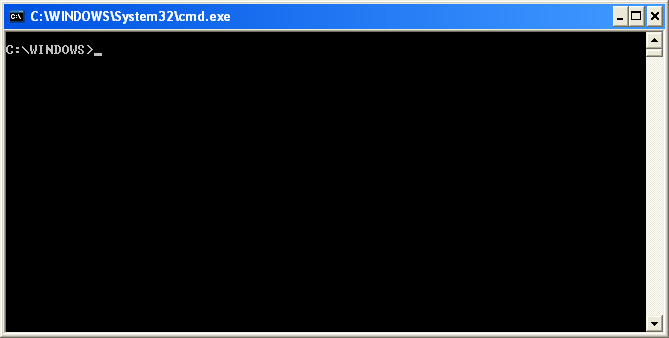
                     Command Prompt (executable name cmd.exe) is the Microsoft-supplied command-line interpreter on OS/2Windows CE and onWindows NT-based operating systems (including Windows 2000XPVista78Server 2003Server 2008Server 2008 R2 and Server 2012). It is the analog of COMMAND.COM in MS-DOS and Windows 9x systems (where it is called MS-DOS Prompt), or of the Unix shellsused on Unix-like systems.

0 DOS Commands I


              The main focus of this post is to provide the detailed command description for each command (in DOS).

0 GiveAway of the Day : iSkysoft Data Recovery for Mac : Hurry!!


                  Whenever the data deleted by user from the disk space, it is moved to a special disk space (where all the deleted data is stored). It resides in the disk and not completely removed from the system. This deleted data can be retrieved later using the recovery technique. iSkysoft Data Recovery helps you to recover files that were lost due to accidental deletion, formatting, improper operation and other reasons that you do not know.

                  It helps in recovering all formats of files. This software provides 4 forms of recovery as follows,
 Lost Data Recovery - Retrieve lost data emptied from your Trash bin or deleted by Command + Delete, complete with original file names and folders.
• Raw Data Recovery - Completely scan your drive and recover files by "file signature".
• Partition Recovery - Recover data from lost, deleted, resized and corrupted partitions.
• Resume Recovery - Save your scan results to perform data recovery later.

0 Windows7's Next Secret Tool Unlocked: Disc Image Burner


This is another useful tool in Windows7. Usually people go for the third party burning software, but windows has the capacity to burn the images (in-built).

May 12, 2013

0 GiveAway of the Day: Folder Scout Standard (100% free Serial) [INACTIVE]


                   Folder Scout Standard gives you instant access to any drive, folder, or file on your computer, just by typing the first few letters of the name. With Folder Scout Standard, you no longer have to navigate huge hierarchies of folders, nor do you really have to worry about nesting a folder into the right spot. An outstanding Predictive Search Engine empowers Folder Scout Standard to easily index the names of thousands of folders, placing you exactly where you want to be with just a few typed letters.

0 A Secret Windows 7 Tool You Still Might Not Know About


    Windows 7 is an operating system and it has many hidden secrets. In fact, Windows 8 is already available for those who wish to try it. But I was doubly surprised to realize that there are still some hidden tools in Windows 7 I did not know about.
     If you’re a Windows fan, you might know these hidden secrets already, but if you’re a regular person who’s been using Windows 7, you might be surprised to know about it and it require no further download.

May 11, 2013

0 Tip : Recover Files from Virus Infected Pendrive (No Software needed)


Lost your data in pendrive! Don't be afraid, here is a solution to recover your data.

                   If you frequently use Flash / Pen / Jet drives to transfer data from one PC to another, it might happen to you that one of the computers is not protected against virus attacks. Sometimes it might happen that all folders on your pen drive are gone! Don’t be panic as you may still recover the data.

Recover the Data:
            Once all the infected files are removed from the pen drive, go to command prompt or CMD on your computer and run the following DOS command.


ATTRIB  -H  -R  -S  /S  /D  G:\*.*


Note:

In this example, G: is assumed as the drive letter for the pendrive or any removable disk. So, make sure you use the appropriate drive letter.
Bingo! You are done! Now check your drive, your data will be available.

1 Create a simple Android app with events


This is a brief tutorial will show you how to code a very basic two button android application (with a start button and a stop button).

Feb 1, 2013

0 How to measure time taken by a function in C?


                  To calculate time taken by a process, we can use clock() function which is available time.h. We can call the clock function

Jan 6, 2013

0 Today's Hardware Review: Coolest Double Gadget from SAMSUNG

Bang !!                       SAMSUNG GALAXY CAMERA                           !! blasT


Bang !! It hits the market. SAMSUNG GALAXY CAMERA
Lets review its feature and specification & performance.


Key Features

  • 16.3 megapixel BSI CMOS sensor
  • 21x optical zoom lens (35mm equiv: 23-483 mm)
  • Optical image stabilisation
  • 4.8 inch HD super clear touch display
  • Runs Android 4.1
  • Wi-Fi and 3G/4G connectivity
  • Full 1080p HD video recording
  • ISO 100-3200
  • 10cm minimum focusing distance
  • Smart mode
  • Voice control
  • Panorama mode


Samsung Galaxy Camera Specifications
Manufacturer
Lens
Max Aperture
f/2.8 - f/5.9
35mm equivalent
23mm - 483mm
Optical Zoom
21x
Image Sensor
CCD pixels
16.3Mp (Megapixels)
Pixels (W)
4608
Pixels (H)
3456
Sensor Type
Back-lit CMOS (B.S.I.)
Sensor Size
1/2.3 inch
Sensor Size (width)
No Data
Sensor Size (height)
No Data
Aspect Ratio
·         4:3
·         16:9
LCD Monitor
LCD Monitor
4.8in
Screen resolution
308 ppi, HD Super Clear Touch Display
Touch Screen
Yes
Focusing
Min Focus
10cm
Focusing modes
·         Autofocus
·         Face Detection
·         Multi
·         Centre
Exposure Control
Shutter speeds shortest
1/2000sec
Shutter speeds longest
16sec
Exp modes
·         Program
·         Aperture-Priority
·         Shutter-Priority
·         Manual
·         Scene modes
Metering
·         Centre-weighted - Average
·         Multi Pattern
·         Spot
ISO sensitivity
100 - 3200
White balance
·         Auto
·         Manual
·         Outdoors/Daylight
·         Incandescent
·         Fluorescent
Exposure Comp
+/-2
Shooting Options
Continuous shooting
No Data
Video
Movie mode
Yes
Video Resolution
·         1920x1080
Video FPS
30fps, 120fps at 720x480 slow-motion
Stereo Sound
Yes
Optical Zoom with Video
Yes
Other Features
Image Stabilisation
Yes
Interface
HDMI
Yes
USB
USB 2
Wi-Fi
Yes
Storage
Card Type
·         Micro SD
·         Micro SDHC
File Type
·         JPG
Power Source
Battery Type
1650mAh Lithium Ion
CIPA Rating
No Data
Box Contents
Box Contents
No Data
Dimensions
Weight
305g
Width
128.7mm
Height
70.8mm
Depth
19.1mm


Camera Performance:
Shutter Response

0.175 secs
Wide - Focus / Shutter Response

0.4 secs
Full zoom - Focus / Shutter Response

0.7 secs
Switch on Time to Taking a Photo

2.4secs
Shot to Shot without Flash

3.6 secs
Shot to Shot with Flash

3.9 secs
Continuous Shooting

3.7 fps

Test Images from camera:

HALF ZOOM:

FULL ZOOM:


T.I.P - Tech Info Portal Copyright © 2011 - |- Template created by O Pregador - |- Powered by Blogger Templates