May 14, 2013

0 6 useful Windows tricks


 You know that feeling you get when your friends or family see you do something on your computer that they've never seen before? If you’ve had this experience, you know that “world's coolest power-user” feeling. But if you haven’t, start here. Knowledge is power!


         Read these six tips for Windows 7, Windows Vista, and Windows XP that will keep you schoolin' your friends and family.

May 13, 2013

0 Command Prompt Magic: Use Ctrl-C to Abort a Command


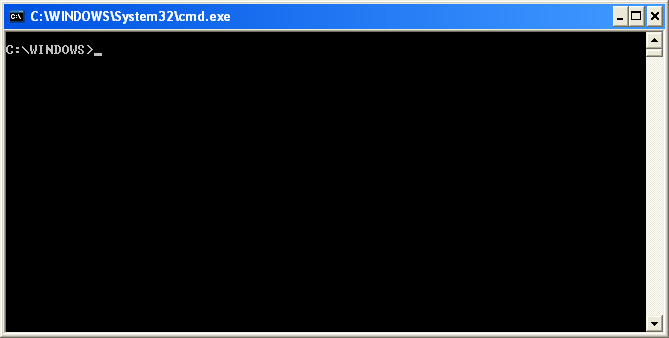
                     Command Prompt (executable name cmd.exe) is the Microsoft-supplied command-line interpreter on OS/2Windows CE and onWindows NT-based operating systems (including Windows 2000XPVista78Server 2003Server 2008Server 2008 R2 and Server 2012). It is the analog of COMMAND.COM in MS-DOS and Windows 9x systems (where it is called MS-DOS Prompt), or of the Unix shellsused on Unix-like systems.

0 DOS Commands I


              The main focus of this post is to provide the detailed command description for each command (in DOS).

0 GiveAway of the Day : iSkysoft Data Recovery for Mac : Hurry!!


                  Whenever the data deleted by user from the disk space, it is moved to a special disk space (where all the deleted data is stored). It resides in the disk and not completely removed from the system. This deleted data can be retrieved later using the recovery technique. iSkysoft Data Recovery helps you to recover files that were lost due to accidental deletion, formatting, improper operation and other reasons that you do not know.

                  It helps in recovering all formats of files. This software provides 4 forms of recovery as follows,
 Lost Data Recovery - Retrieve lost data emptied from your Trash bin or deleted by Command + Delete, complete with original file names and folders.
• Raw Data Recovery - Completely scan your drive and recover files by "file signature".
• Partition Recovery - Recover data from lost, deleted, resized and corrupted partitions.
• Resume Recovery - Save your scan results to perform data recovery later.

0 Windows7's Next Secret Tool Unlocked: Disc Image Burner


This is another useful tool in Windows7. Usually people go for the third party burning software, but windows has the capacity to burn the images (in-built).
 

T.I.P - Tech Info Portal Copyright © 2011 - |- Template created by O Pregador - |- Powered by Blogger Templates